Fast in hour three
Drawing happens on your device first, and saving runs quietly in the background. The pen never waits for the internet, even late in a long lesson.
your writing never waits on the Wi-Fi
Clean Slate is a free online whiteboard built for teaching. Write with Apple Pencil, keep the worksheet beside the board, and bring a whole class in with one code. Whatever you teach, it’s just as quick three hours in as it was at the start.
The demo opens a real board in your browser. Nothing to install, nothing saved.
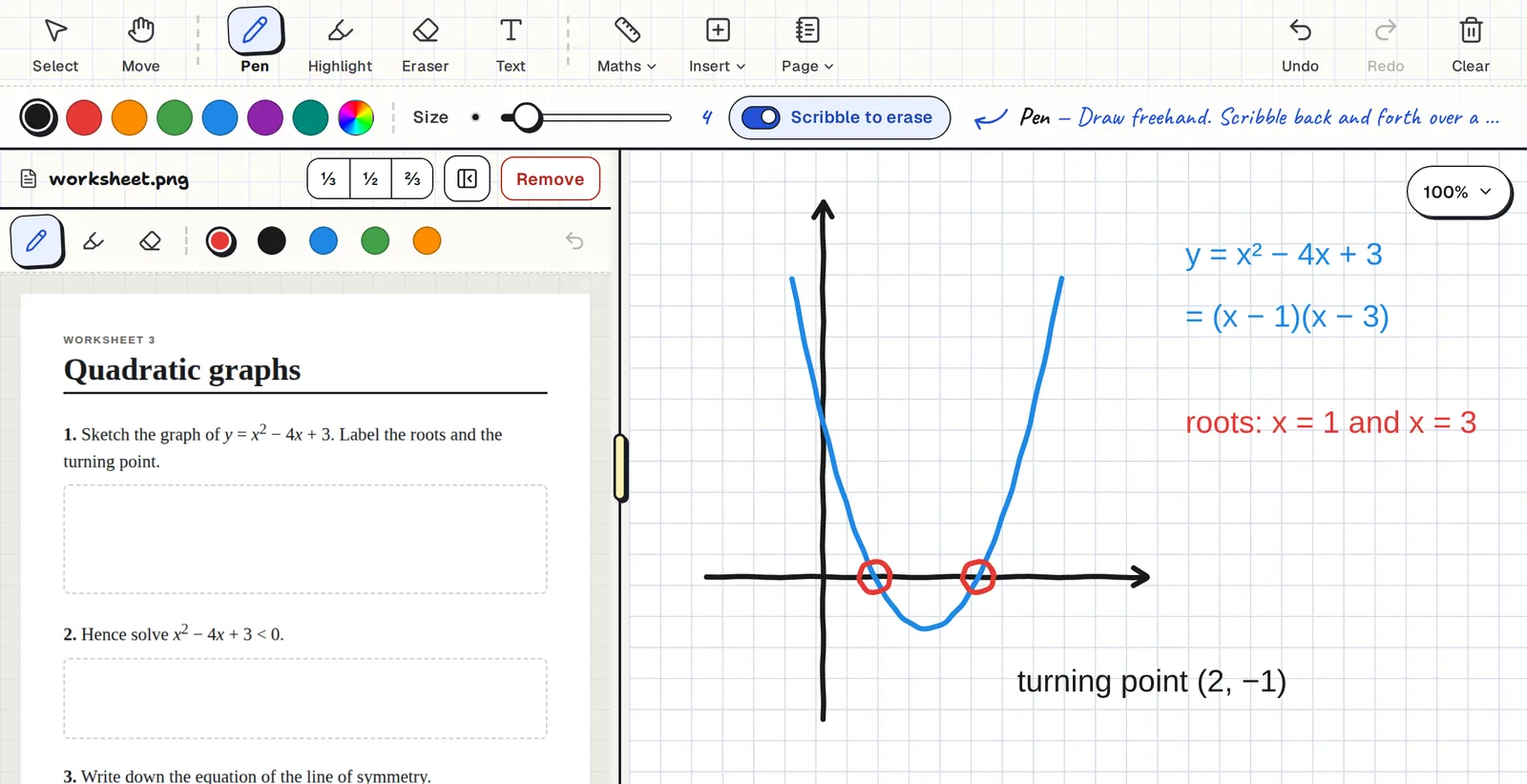
Most online whiteboards are built for office meetings. These six things are built for lessons.
Drawing happens on your device first, and saving runs quietly in the background. The pen never waits for the internet, even late in a long lesson.
Students join with a 6-character code and no account. They follow your board, work on their own, and you can look in on anyone and pin a comment.
Open a PDF or photo in a side pane, size it how you like and write on it. Nothing to print and nothing to screenshot.
Exact shapes with the angles marked, a ruler and compass, graph paper, simulations, and a scientific calculator that gives exact answers.
Rest your hand on the screen without stray marks or switched tools. Pencil-only mode turns on by itself the first time you write.
No board limit, no ads, no card and nothing to install. Try the demo board without even signing in.
Pick the paper and the tools that suit the lesson. The same fast board works for an equation, an experiment, a poem or a verb table.
Exact shapes, ruler and compass, graph paper, and a scientific calculator with exact answers.
Label diagrams, and drop a PhET simulation right next to your notes.
Paste in a passage or a source, highlight it and annotate the margins.
Lined paper for handwriting practice, and typed text boxes for new vocabulary.
Most whiteboards are made for office brainstorms. Clean Slate has what a lesson needs, one tap away and clearly labelled.
Write, highlight and type in any colour. The eraser only removes ink, so the page stays clean.
Open a PDF or photo beside the board and drag the divider to size it. You can annotate it too.
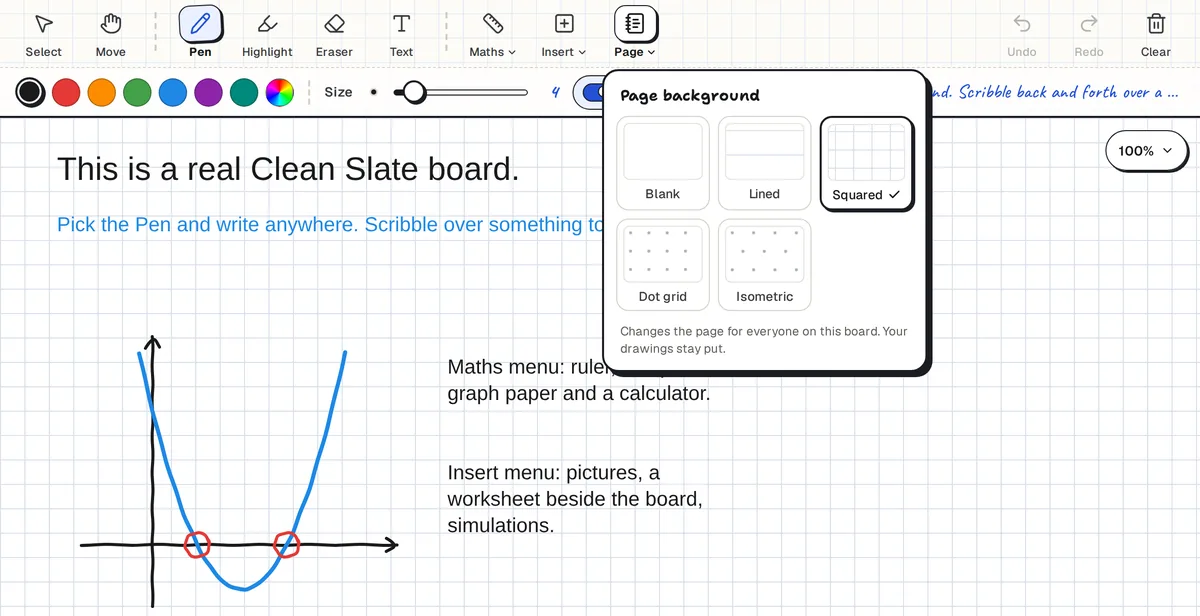
Blank, lined, squared, dot grid or isometric. The pattern stays put when you zoom.
Box-select work to reuse it. Paste a screenshot or drop in a picture and it lands on the board.
Construction tools that sit on the board. Rule a straight line, measure a length or draw a perfect circle with your Pencil.
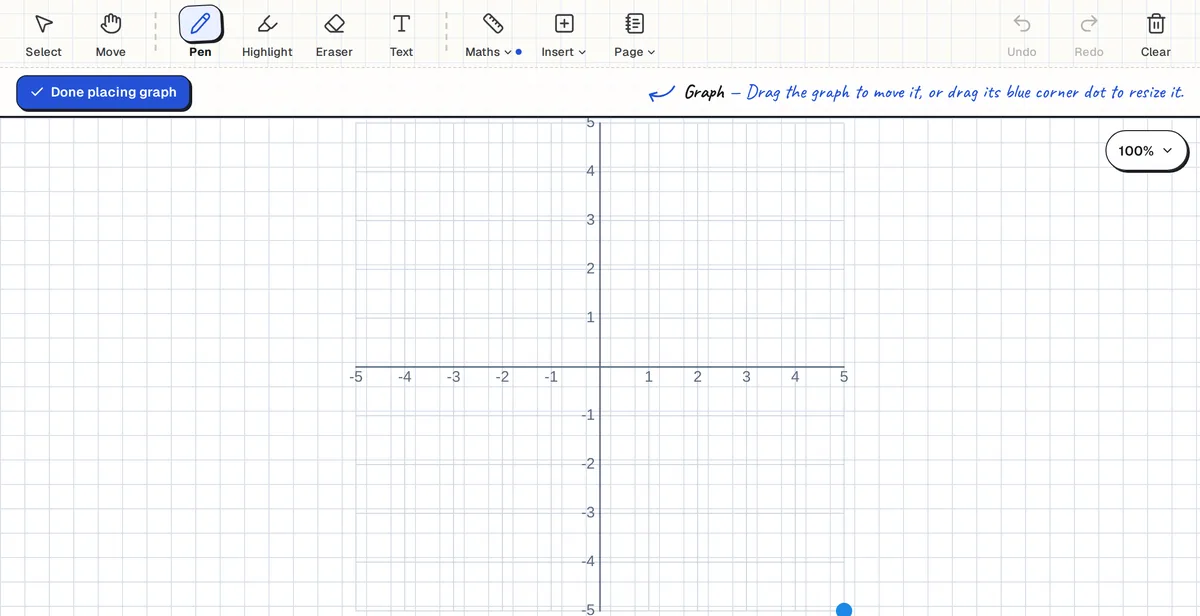
Cartesian or polar, any scale, labelled in degrees or radians, with a live preview first.
Paste a PhET link (or another interactive) and move or resize it next to your working.
A Casio-style calculator with exact answers like ½ and 2√2. Tap Add to board and the answer lands on your page.
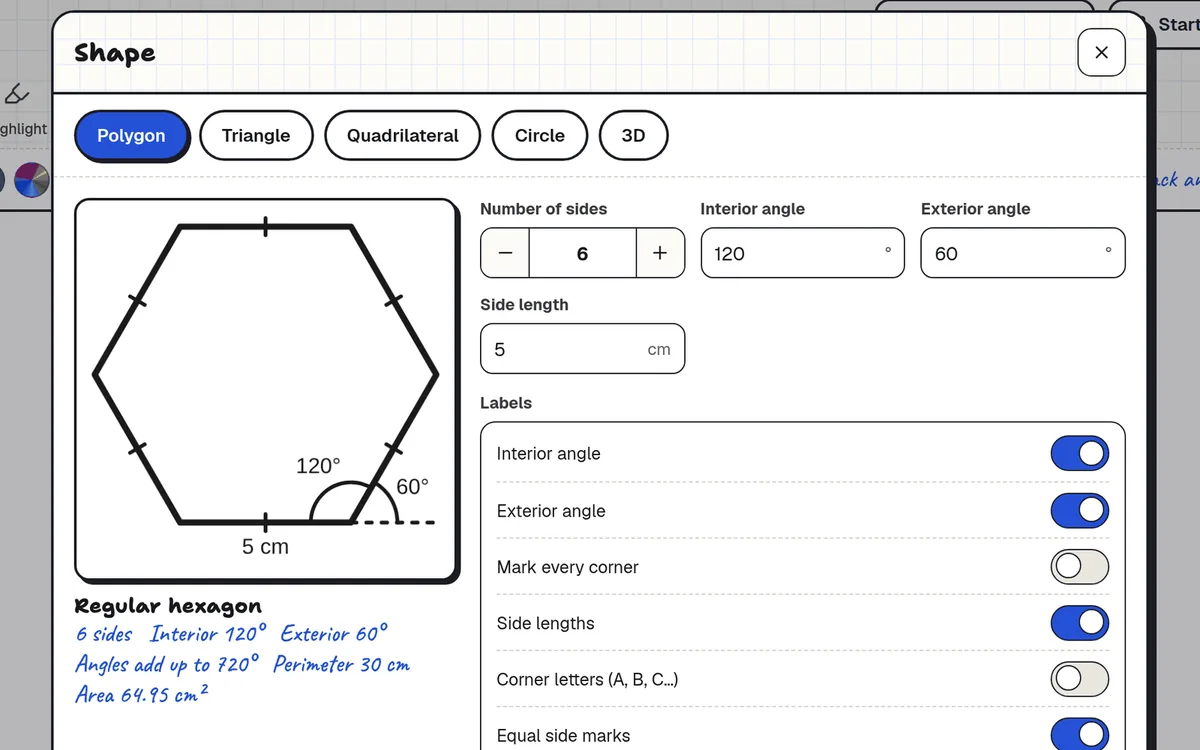
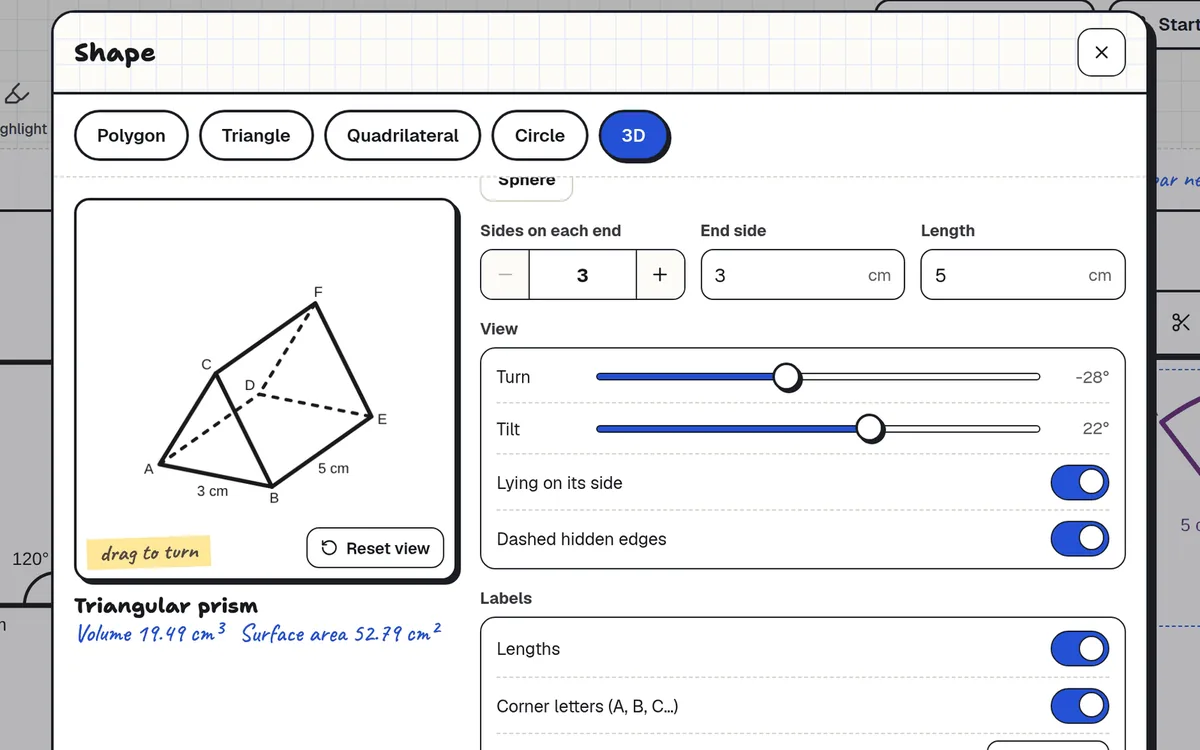
Drop an accurate polygon, triangle, quadrilateral, circle or 3D solid straight onto the board. Set the sides, angles and lengths you want, and they’re labelled for you.
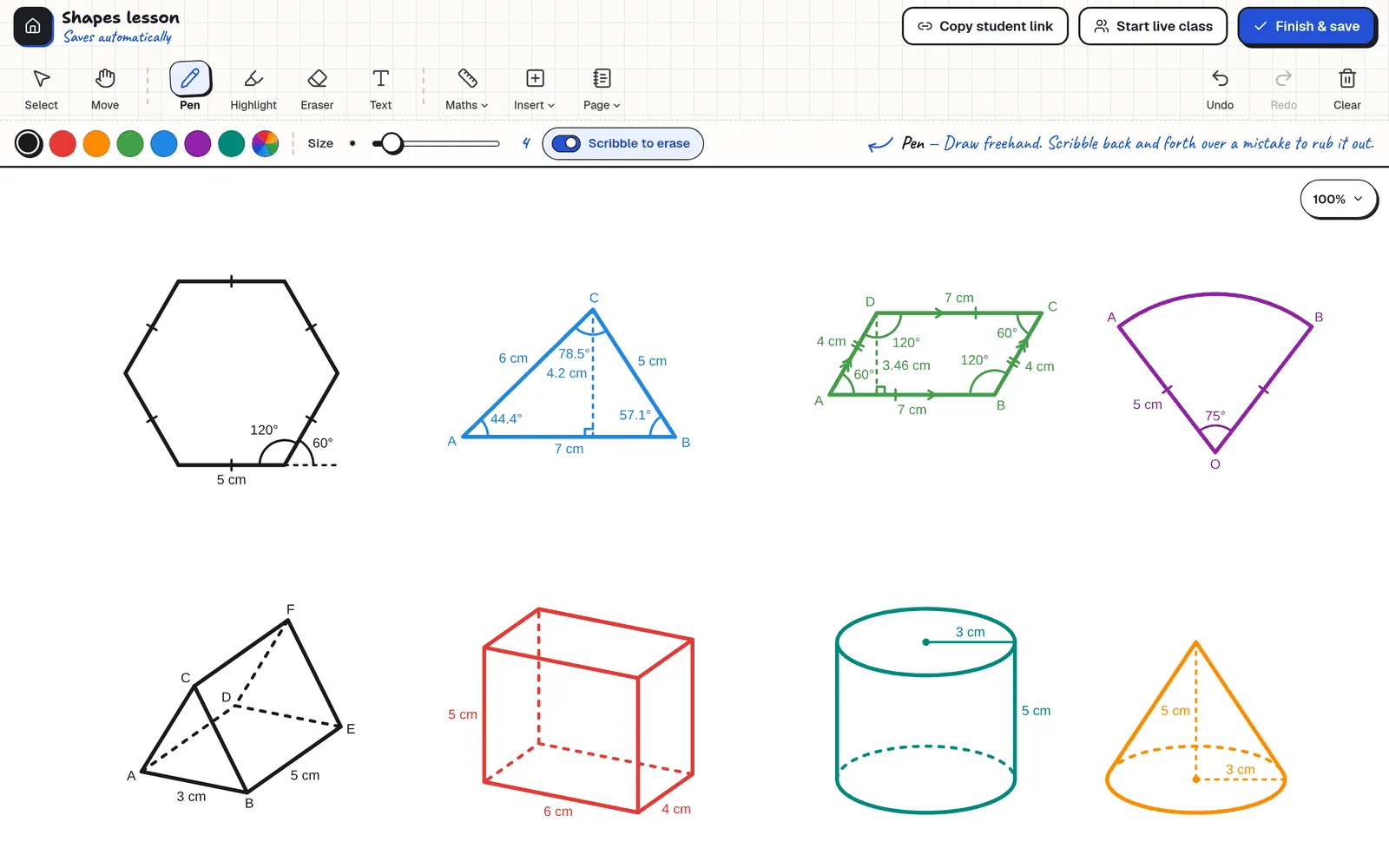
These are screenshots of Clean Slate itself, not mock-ups. Everything in them is free, and you can try it all on the demo board.
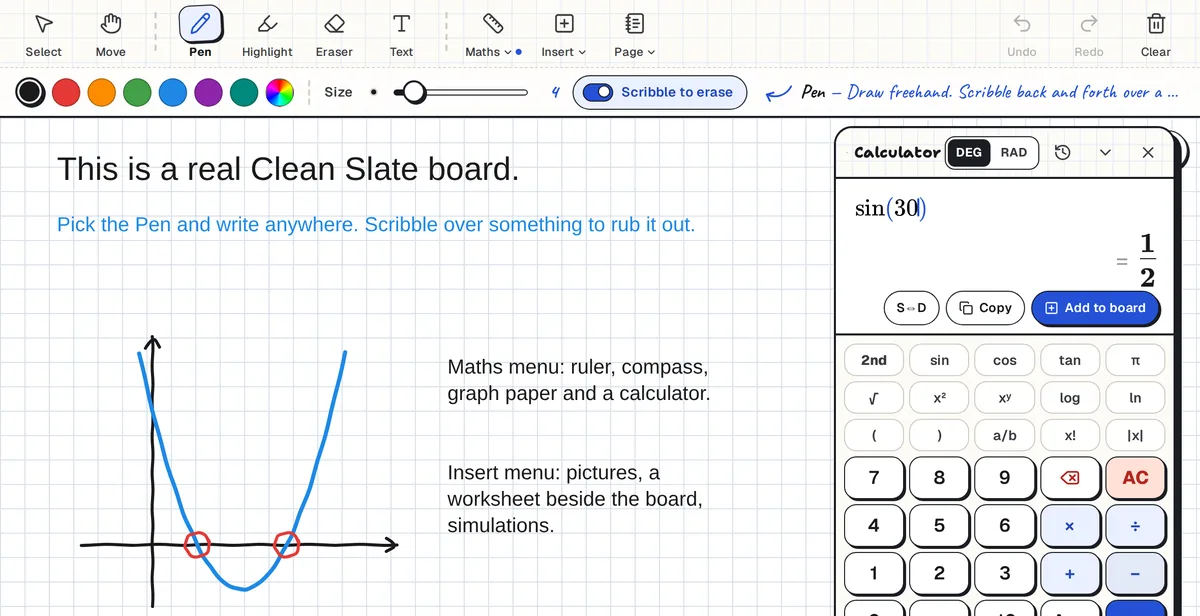
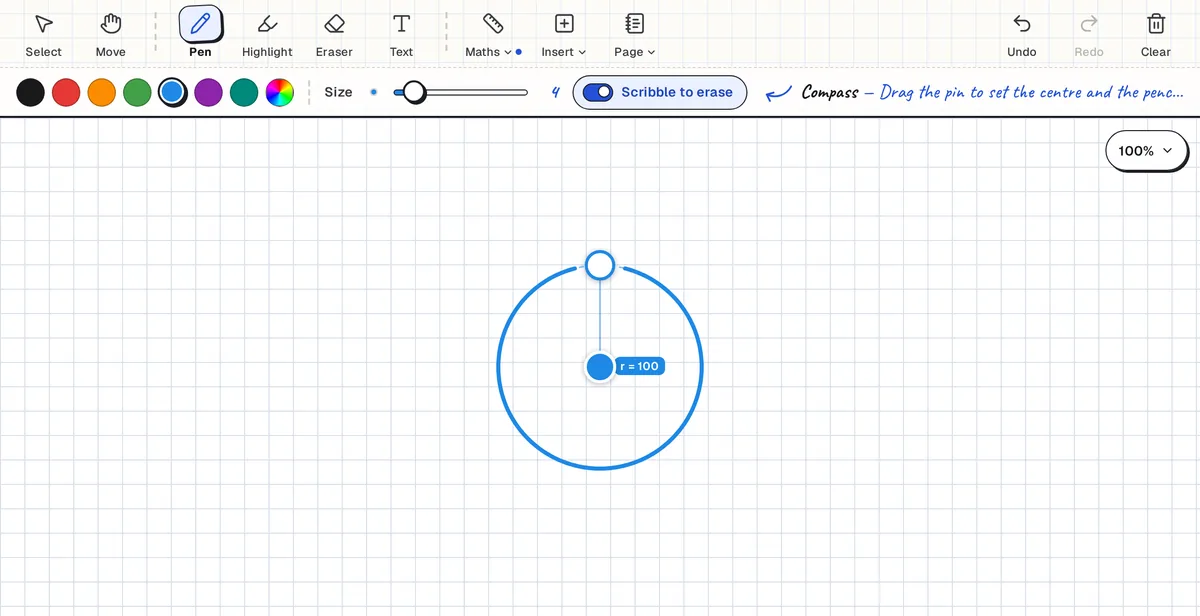
Start a live class and students join with a short code. They don’t need accounts. They follow your board, work on their own, and you can look at anyone’s working and leave them a note.
Nothing to tap at the bottom where your hand rests, and the toolbar ignores brushes from your palm mid-stroke.
The first time you write with a stylus, fingers go back to scrolling and zooming. You can always turn it off.
Works on iPads going back to 2014, on Samsung and other Android tablets, and on laptops. Nothing to install.
Microsoft Whiteboard no longer works with personal Microsoft accounts. It’s now only for work and school Microsoft 365 accounts. Clean Slate works with any Google account, and the pen, eraser and menus are where you expect them. See how it compares as a Microsoft Whiteboard alternative.
| Whiteboard | On the free plan |
|---|---|
| Clean Slate | Unlimited boards, live classes with no time limit, no ads |
| Miro | 3 editable boards |
| FigJam | 3 files |
| Lucidspark | Only your 3 newest boards stay editable |
| Whiteboard.fi | 20 students, 1 session at a time, sessions end after 2 hours |
| Microsoft Whiteboard | Work or school Microsoft 365 accounts only |
Free-plan limits as published in September 2026 (HuddleIQ, SoftwareSuggest). Check each site for the latest.
Send an idea or a bug report from inside the app, screenshots and all. It goes straight to the developer.
Add a student or co-teacher and you can all write on the same board at once, live.
Every board gets a preview picture, so the lesson you need is one glance away.
When something new arrives, a pop-up shows what changed, and “Show me” walks you through it step by step on a real board.
Looking for something specific? Each of these pages goes into the detail.
Short, straight answers about what Clean Slate does and doesn’t do.
Yes. There is no paid plan, no board limit and no ads.
Yes. The demo board opens with no sign-up, no login and nothing to download. Nothing you draw there is saved. Sign in with a Google account when you want to save and share boards.
No. Students join a live class with a six-character code and their first name.
Yes. It runs in Safari on iPadOS 15 and newer. Once you write with a Pencil, only the Pencil draws, and resting your palm on the screen leaves no marks. See the whiteboard for iPad.
Yes. Open a PDF of up to 30 pages, or an image, in a pane beside the board, and write on it.
Yes. Microsoft Whiteboard no longer works with personal accounts and Google shut Jamboard down in 2024. Clean Slate works with any Google account in any browser. See the Microsoft Whiteboard alternative and the Jamboard alternative.
Yes. Insert, then Shape draws polygons, triangles, quadrilaterals, circles and 3D solids to the sides and angles you set, with the measurements labelled. See the whiteboard for math.
No. Use it beside Zoom, Google Meet or Teams.
Yes. When you're signed in, boards save automatically. A board that nobody opens for 30 days is deleted, and you get an email first with a button to keep it.
Chrome, Edge, Firefox and Safari, on iPads, Android tablets, Chromebooks, Windows, Mac and Linux. There is nothing to install.