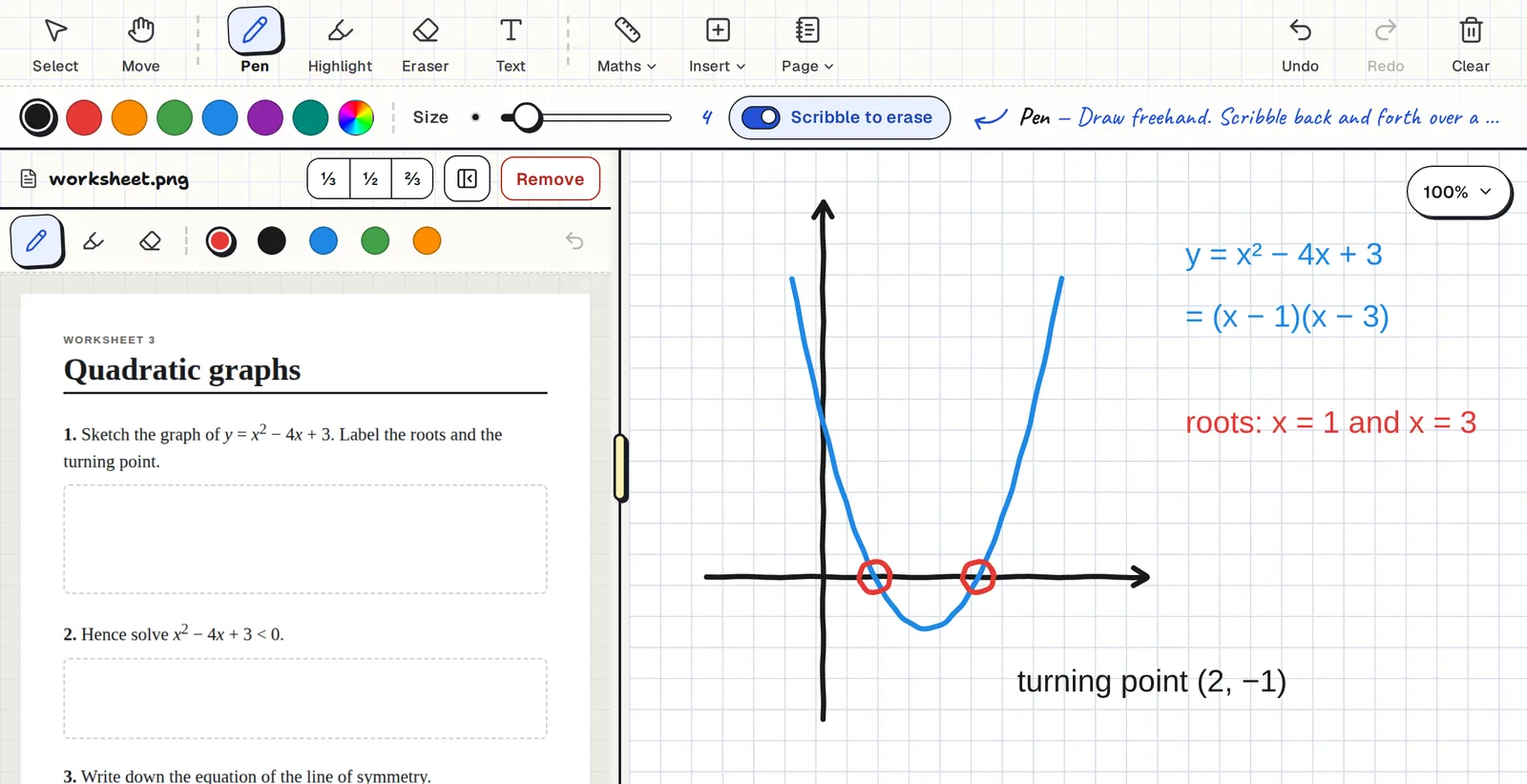
Made for the Pencil
- Pencil-only mode turns itself on. The first time you write with a stylus, your fingers go back to scrolling and zooming and only the Pencil draws. You can turn it off.
- Your palm can't press buttons. Nothing you can tap sits at the bottom of the screen where your hand rests, and the toolbar ignores a brush from your palm while you write.
- Scribble to erase. Scribble back and forth over a mistake and it's gone. There is also a precise eraser and a whole-stroke eraser.
Runs in Safari. Nothing to install.
Open the link and start writing. There is no app to download from the App Store and nothing to update. Your boards are there on any other device you sign in on.
Works on older iPads
Clean Slate runs on iPadOS 15 and newer, which includes iPads going back to the iPad Air 2 and iPad mini 4. On those older models you write with a finger or a simple stylus.
Opening a PDF beside the board needs iPadOS 16.4 or newer. On an older iPad, open the worksheet as an image instead.
Worksheet on one side, board on the other
Open a PDF or photo beside the board and drag the divider to size it. In portrait the worksheet sits above the board, and in landscape it sits beside it. You can write on both.
Not only iPads
The same board works on Android tablets with a stylus, on Chromebooks, and on a laptop with a drawing tablet or a mouse.
Common questions
Is there an app in the App Store?
No. Clean Slate is a web app that runs in Safari, so there is nothing to install.
Does it have palm rejection?
Yes. Once you write with a Pencil, only the Pencil draws, and your fingers scroll and zoom.
Which Apple Pencil does it work with?
Any Apple Pencil that works with your iPad.
Does it work on an old iPad?
Yes, on iPadOS 15 and newer. PDFs beside the board need iPadOS 16.4 or newer.
Is it free?
Yes. There is no paid plan.