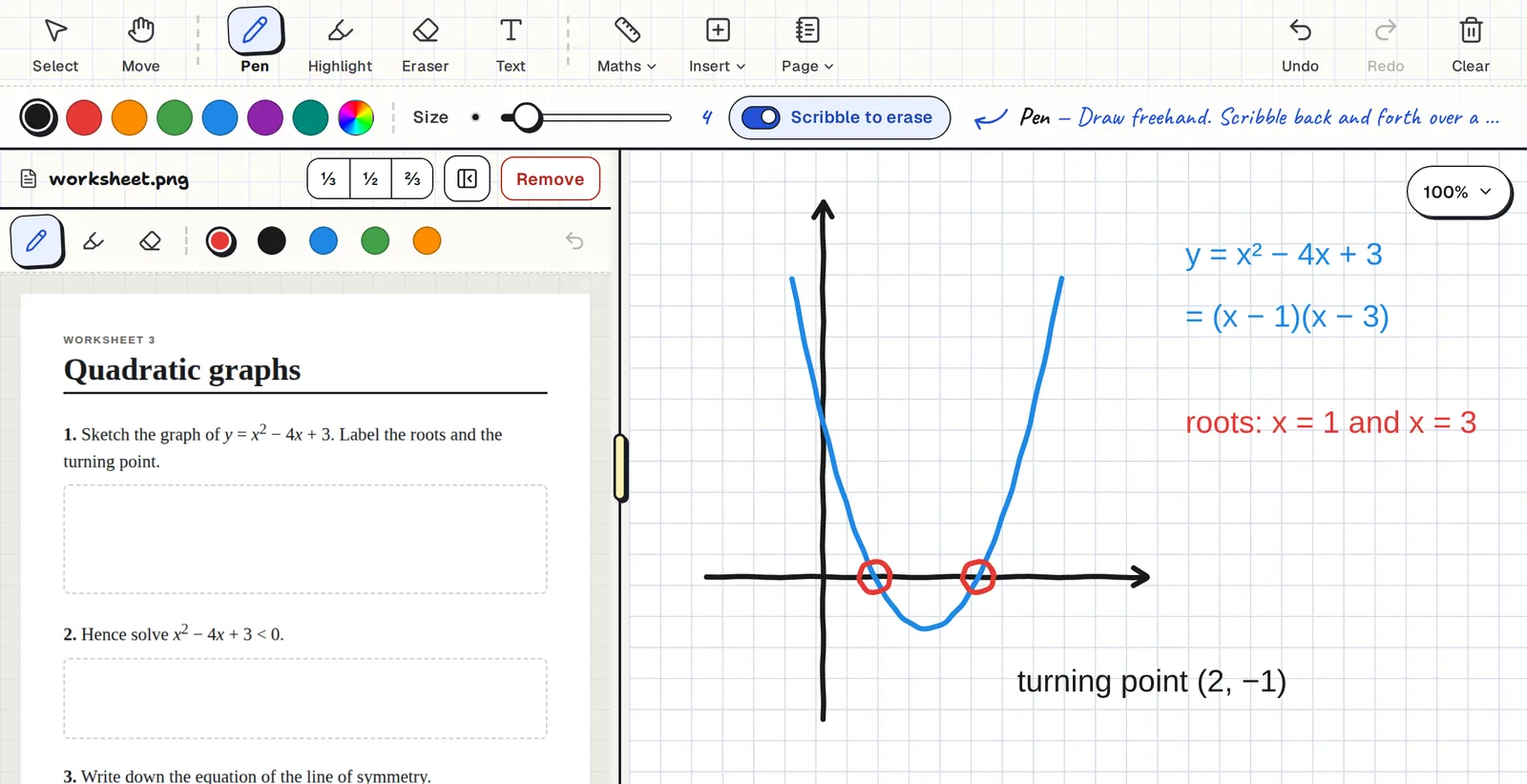
Built around a tutoring session
- The question stays in view. Open the worksheet or past paper as a PDF or photo beside the board, and write on it too.
- It feels like writing. Pen, highlighter and eraser are made for a stylus. Scribble over something to rub it out.
- Your student can write as well. Share a board by email and you both write on it at the same time.
- Next week is one tap away. Every board saves automatically and shows a preview picture, so last lesson is easy to find.
Long lessons stay quick
What you draw appears on your own device first, and saving happens quietly in the background. The pen doesn't wait for the internet, so writing feels the same at the end of a two-hour session as it did at the start.
The tools a maths or science tutor reaches for
The Maths menu has a ruler, a compass, graph paper you can set up as Cartesian or polar axes, and a scientific calculator that gives exact answers such as ½ or 2√2. You can send a calculator answer straight to the board.
Need a diagram for the question? Insert, then Shape draws a polygon, triangle, quadrilateral, circle or 3D solid to the sides and angles you type, with the measurements labelled.
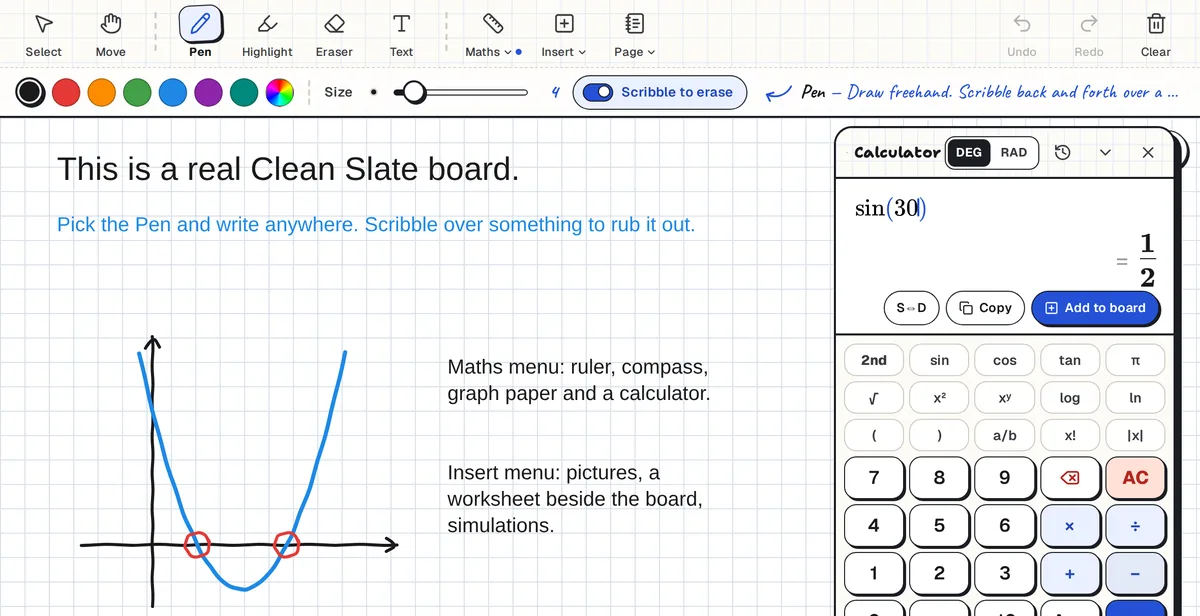
For other subjects, switch the page to lined paper, paste in a text to annotate, or embed a PhET simulation.
Use it alongside Zoom, Meet or Teams
Clean Slate is a whiteboard, not a video call. Keep your usual call running for voice and video and use Clean Slate for the working. Share your screen, or send your student the board so they have it on their own device.
Small groups: a board for each student
For a group, start a live class. Students join with a six-character code and no account. Each one gets their own board, and you can open any of them while they work and pin a comment where it matters.
Common questions
What is the best free online whiteboard for math tutoring?
That depends on what you need. Clean Slate is free and has exact labelled shapes, a ruler, a compass, Cartesian and polar graph paper, a scientific calculator with exact answers, and a pane for the worksheet beside the board. It has no built-in video call.
Does it work with Zoom?
Yes. Run Clean Slate in your browser beside Zoom, Google Meet or Teams, and either share your screen or share the board with your student.
Does my student need an account?
Not for a live class: they join with a code and their first name. To write on the same board as you, they sign in with a free Google account.
Can I keep a separate board for each student?
Yes. Make as many boards as you like and name them. Each one saves automatically. A board that nobody opens for 30 days is deleted, and you get an email first with a button to keep it.
How much does it cost?
Nothing. There is no paid plan and no board limit.